
· AI, Engineering, Career, Product
Build to learn: a Claude Code plugin that turns a tiny app into docs
I learn a new stack by building something small. build-to-learn is the open-source plugin that makes Claude do that with me and write down everything we hit.
I've written before that the way I learn a new tool is to build something with it. That hasn't changed. What changed is that I now build those things with Claude, and I noticed the most useful part of the result was no longer the code.
So I packaged the way I do it into a plugin: build-to-learn. It works in Claude Code, and as a plain skill in Codex, opencode and other agents. This post is about where it came from and why it behaves the way it does.
Where it came from
A while ago I wanted to write a desktop app in Go with GTK 4, on Windows. I picked the smallest thing that would prove the setup works: a todo app with add, complete, delete and a filter, kept in memory.
The Go part was the easy part. Most of what I learned had nothing to do with Go:
- GTK on Windows comes from MSYS2, which has several environments, and only one of them (UCRT64) should ever be on your
PATH. Mixing them mixes incompatible DLLs. - One msys2 terminal couldn't see
gcc, and the build neededgobject-introspection, which I hadn't installed. - The first build takes 5 to 10 minutes. The GTK bindings are around 120,000 lines of generated Go in one file, cgo compiles the C glue on a single core, and Windows Defender scans every temporary file gcc writes. After that, Go's cache makes builds take seconds.
- Shipping the app meant bundling the DLLs next to the
.exe. Mydistfolder ended up with 61 DLLs and 93.6 MB, and I only trusted it after launching it with every msys2 folder removed fromPATH.
I worked through all of this with Claude and documented everything with it as we went. By the end I had a short README, a DEV_DOCS.md with twelve sections (setup from scratch, every script line by line, troubleshooting, a cheat sheet) and separate notes on MSYS2 environments, a Linux build and a Rust version. The project is public: gtk4-on-windows-with-go.
The todo app is about as interesting as you'd expect. The docs are the thing I'll actually open again in six months, when I start a real GTK project and can't remember why run.ps1 exists.
The idea
Generate a small project with the agent, generate a small docs guide from what happened while building it, and extend the docs later when you need more.
That's the whole plugin. You run:
/build-to-learn Go + GTK 4 desktop app on Windows
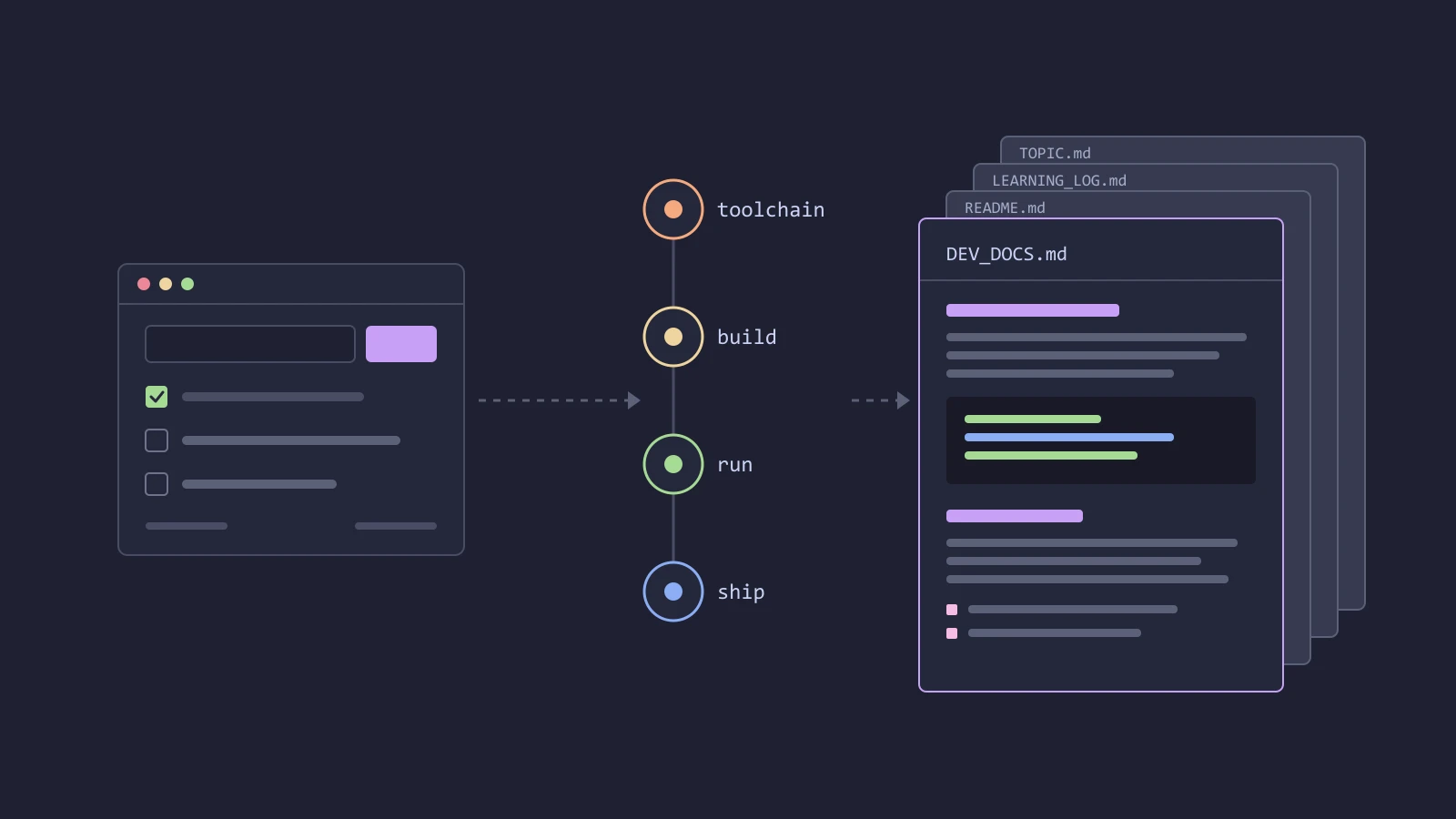
and it goes through four phases. It scopes a tiny app that touches the whole chain of the stack, usually a todo app in 100 to 300 lines. It installs the toolchain from official sources and checks each tool. It builds, runs and packages the app, with the build logic in scripts (build.ps1, run.ps1, package.ps1, or .sh on other systems). Then it turns everything into docs:
your-project/
├── <the tiny app>
├── build / run / package scripts
├── LEARNING_LOG.md   every problem as it happened: symptom, cause, fix, lesson
├── README.md         short: what it is, quick start, roadmap
├── DEV_DOCS.md       everything, in detail
└── <TOPIC>.md        focused notes, like LINUX_BUILD.md
The docs are layered on purpose. The README is what you read to get it running again. DEV_DOCS.md is what you read when something breaks. Topic files hold the things that don't belong to the main path, and you add them whenever you need them: /build-to-learn topic linux build writes LINUX_BUILD.md, marked "not tested yet" until someone actually builds on Linux.
There are a few smaller commands for working on an existing project. log adds an entry to the learning log, docs refreshes the README and DEV_DOCS.md from the code and the log, and status tells you which phases are done, which log entries never made it into the docs, and what to do next.
Why it behaves the way it does
Most of the plugin is rules, and almost every rule comes from something that went wrong or nearly went wrong on the GTK project.
It logs while it works, not at the end. If you wait until the app runs to write the docs, the interesting details are already gone. You remember the fix, but not the error message you would search for next time. So every error, surprise and design decision goes into LEARNING_LOG.md when it happens. Questions I ask during the work count too: if I had to ask why msys2 has a separate terminal, the docs need to answer that.
The app stays tiny. No database, no accounts, no networking unless that is what you're learning. One more documented problem teaches more than one more feature, and a small app is easier to reuse as a template, which is the other half of the point. The README says it's a learning project and what to rename to start something new from it.
It verifies before it claims. It builds the app, launches it, takes a screenshot if it's a GUI, and tests the shipped artifact without the dev tools on PATH. Anything it couldn't test gets a "Status: not tested yet" banner. Agents are very good at writing confident docs for steps nobody ran, and a learning doc that's wrong is worse than none.
System changes are yours. Editing PATH, installing system-wide or uninstalling something needs your approval, and it backs up what it changes (the old PATH value, for example). If a tool is installed twice, it helps you pick one and remove the other, because two compilers on PATH produce some of the most confusing errors there are.
Git is yours too. It doesn't commit or push unless you ask, and "commit only" means no push.
One source, three agents
I use Claude Code, but I didn't want the plugin to be tied to one agent. All the instructions live in one skills/build-to-learn/ folder: a short SKILL.md that dispatches the subcommands, one reference file per phase, and templates for the README, DEV_DOCS.md, the learning log and topic files. The phase files load only when that phase runs, so the agent isn't carrying the whole workflow in context for a log command.
Claude Code gets it through a plugin marketplace:
/plugin marketplace add AlbertArakelyan/build-to-learn
/plugin install build-to-learn@build-to-learn
Codex, opencode and other agents get the same folder through the skills installer:
npx skills add AlbertArakelyan/build-to-learn --skill build-to-learn
A small script checks that the frontmatter, links and the version in all three manifests agree, so a release can't ship with Claude Code on one version and Codex on another.
Try it
The repo is AlbertArakelyan/build-to-learn, MIT licensed, and this is the first version (0.1.0). Pick something you've been meaning to learn, run /build-to-learn with it, and keep the docs. If something in the workflow doesn't fit your stack, open an issue.
- claude-code
- claude-code-plugin
- agent-skills
- open-source
- learning
- documentation
- go
- gtk4