
· Engineering, Career
5 Challenging Assessments from My Adobe Interview Process
A quick look at the five real-world assessments I received during my Adobe interview, insightful challenges that tested both coding skills and problem solving.
Once I had a coding interview with Adobe and I received very interesting assessments from simplest ones to most complex ones, and I would like to share my experience with others and also what Adobe gives to his candidates 🙂.
But first, I’d like to outline the categories of each task and explain the grading system they use to assign points. Simply will share the screenshot from the main page of the assessment -
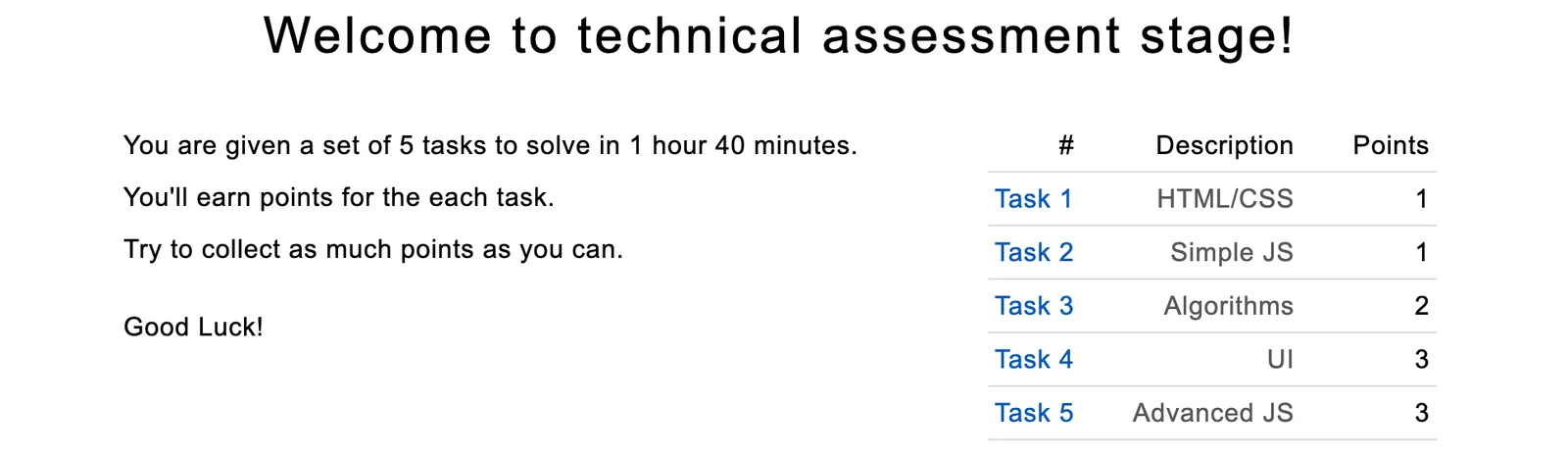
A Deep Dive into the Tasks
Now, let’s take a deep dive into each task and explore one of the ways Adobe evaluates our knowledge.
Task #1
Firstly let's check the screenshot of the task -
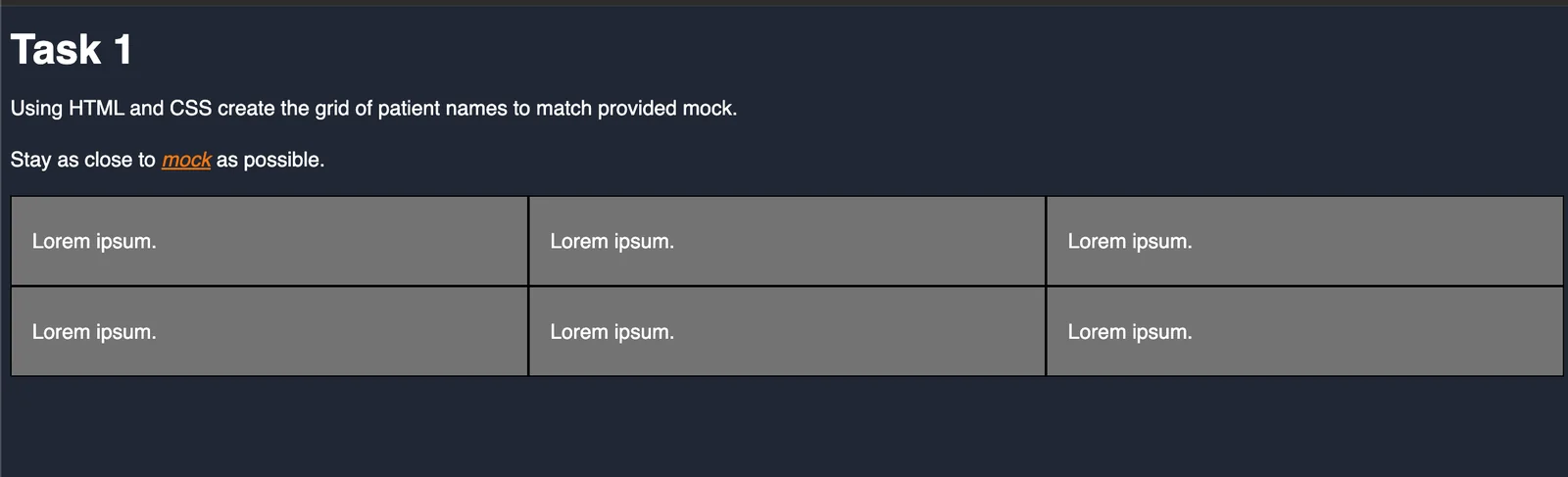
First task is about HTML/CSS. So they gave some basic layout and they want it to look like the mock sample they provided, let's see how to mock looks like -
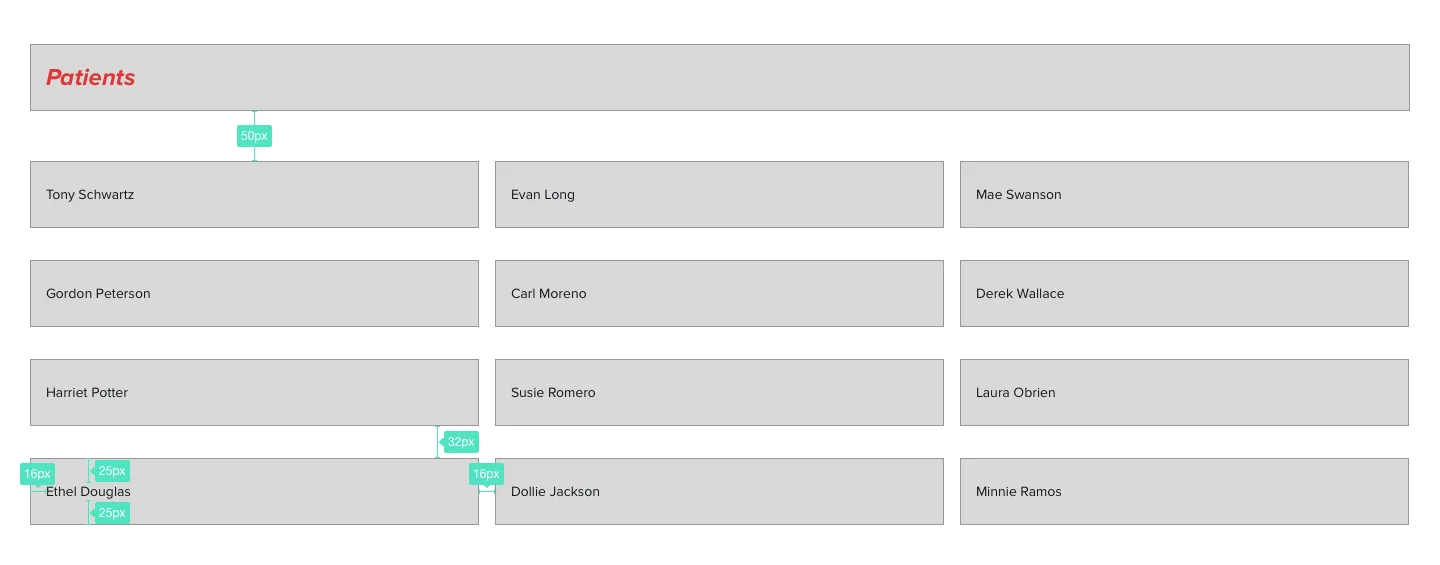
For this task they give 1 point, but it wasn't that easy to create the layout 😅.
Task 2
Again let's start from the screenshot of the task -
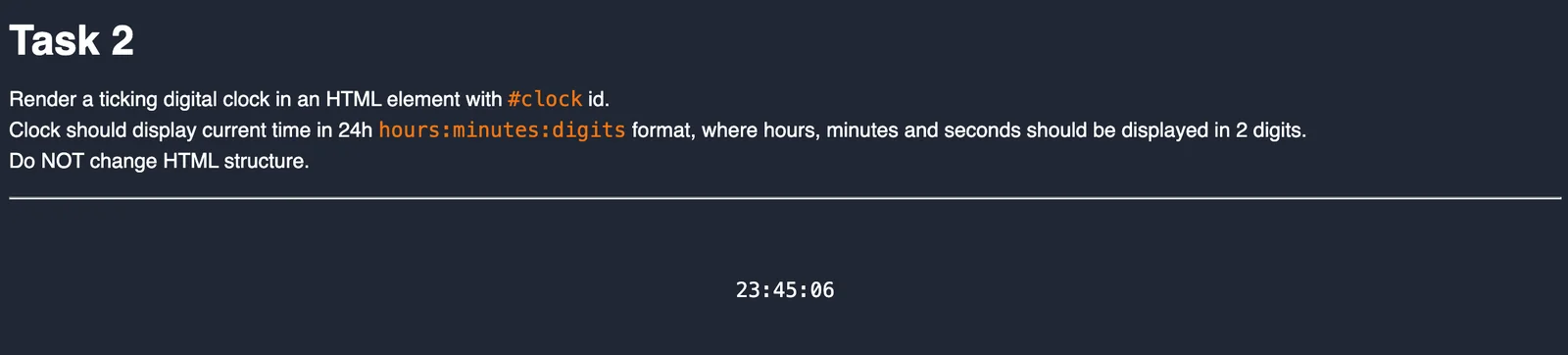
Second task is about Simple Javascript. This one is simple, but pay attention to the last line "Do NOT change HTML strucutre", with this they are targeting DOMContentLoaded event, when you check the task's code you will understand 😉.
Task 3
Again let's start from the screenshot of the task -
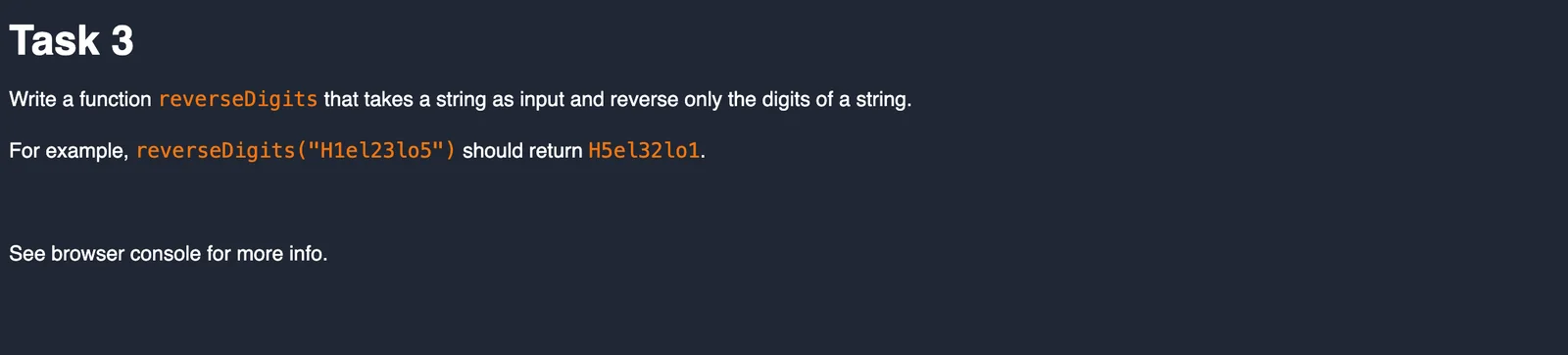
Third task is about beloved Algorithms. Nothing special given a string and it has some digits, places only of the digits should reverted. They pay attention how many cases you take into account in your solution.
Task 4
Again let's start from the screenshot of the task -
But for this one I want to mention, this task was the most interesting and difficult one.
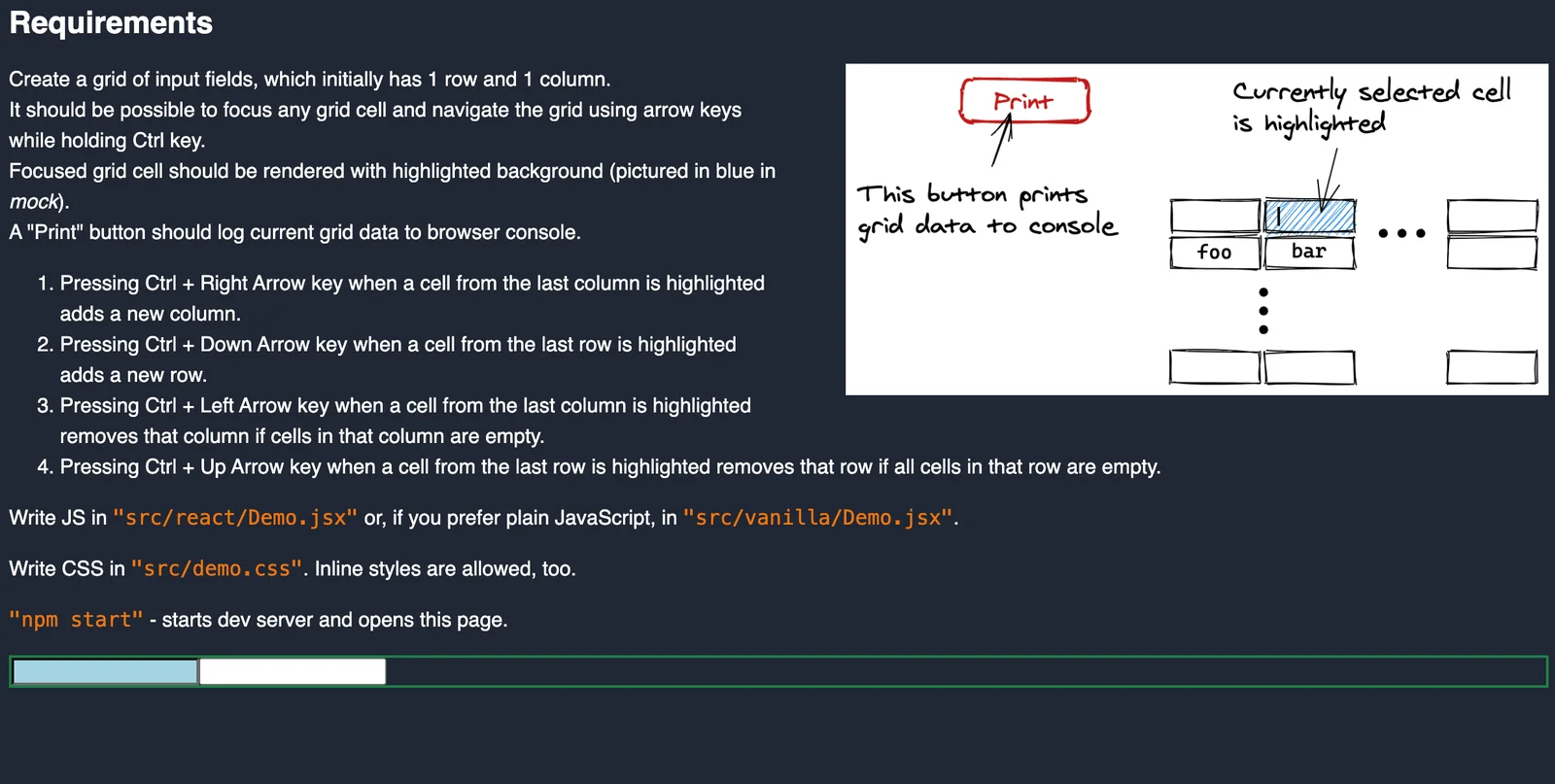
Forth task is about UI and with React. To keep it short for this one you need to create a grid of inputs where you change focus of them only with arrows, you can edit focused input and the data should persist. If you reached the edge from right or bottom with "CTRL + Arrow Key" you can add/remove the row/column.
*Note: For this task you need to run npm install command in "task-4" folder.
Your implementation goes into the green area.
Task 5
For this task there is no screenshot and it's about Advanced Topics such as Test Driven Development (TDD).
For this task you need to run npm install command in "task-5" folder, then run npm test and start fixing wrong/broken tests so that they are correct in your original code.
It just provides one function which does different pieces of logic and tests should pass, and for that we need to edit and adjust our file with the function.
And as I promised I will share the link to the file with assessments.
You can download it from My Github Repo of interview experiences
I Hope you liked this Adobe journey 😊, see you around.
- interview
- adobe
- experience
- javascript
- react
- assessments